
1 First Look at C++
1.1 The First C++ Program
Writing a C++ program takes four steps:
- Create a project
- Create a file
- Write the code
- Run the program
1.1.1 Create a Project
Visual Studio is the main tool we use to write C++ programs. Open it first.


1.1.2 Create a File
Right-click Source Files and choose Add -> New Item.

Give the C++ file a name, then click Add.

1.1.3 Write the Code
| |
1.1.4 Run the Program

1.2 Comments
Purpose: add notes and explanations in the code so that you or other programmers can read it more easily.
Two forms
- Single-line comment:
// description- Usually placed above a line of code, or at the end of a statement, to ==explain that line==
- Multi-line comment:
/* description */- Usually placed above a block of code to ==explain that block as a whole==
Tip: when the compiler compiles the code, it ignores the contents of comments.
1.3 Variables
Purpose: give a name to a specific region of memory so that region is easier to work with.
Syntax: data_type variable_name = initial_value;
Example:
| |
Note: when C++ creates a variable, you must give the variable an initial value; otherwise an error is reported.
1.4 Constants
Purpose: record data in the program that cannot be changed.
C++ defines constants in two ways:
#define macro constant:
#define constant_name constant_value- ==Usually defined near the top of the file== to represent a constant
A variable qualified by const:
const data_type constant_name = constant_value- ==Usually add the keyword const before the variable definition== to qualify that variable as a constant, which cannot be modified
Example:
| |
1.5 Keywords
Purpose: keywords are words (identifiers) reserved in advance by C++.
- Do not use keywords when defining variables or constants
The C++ keywords are as follows:
| asm | do | if | return | typedef |
|---|---|---|---|---|
| auto | double | inline | short | typeid |
| bool | dynamic_cast | int | signed | typename |
| break | else | long | sizeof | union |
| case | enum | mutable | static | unsigned |
| catch | explicit | namespace | static_cast | using |
| char | export | new | struct | virtual |
| class | extern | operator | switch | void |
| const | false | private | template | volatile |
| const_cast | float | protected | this | wchar_t |
| continue | for | public | throw | while |
| default | friend | register | true | |
| delete | goto | reinterpret_cast | try |
Tip: when naming a variable or a constant, do not use a C++ keyword, or the name will be ambiguous.
1.6 Identifier Naming Rules
Purpose: C++ has its own rules for naming identifiers (variables and constants).
- An identifier cannot be a keyword
- An identifier may contain only letters, digits, and underscores
- The first character must be a letter or an underscore
- Letters in an identifier are case-sensitive
Suggestion: when naming an identifier, aim for a name whose meaning is clear at a glance, so that you and others can read it more easily.
2 Data Types
C++ requires you to specify the corresponding data type whenever you create a variable or a constant; otherwise it cannot allocate memory for the variable.
2.1 Integer Types
Purpose: an integer variable represents data of an ==integer type==.
C++ can represent integers with the following types. They differ in how much memory they occupy:
| Data type | Memory occupied | Value range |
|---|---|---|
| short (short integer) | 2 bytes | (-2^15 ~ 2^15-1) |
| int (integer) | 4 bytes | (-2^31 ~ 2^31-1) |
| long (long integer) | 4 bytes on Windows; on Linux, 4 bytes (32-bit) or 8 bytes (64-bit) | (-2^31 ~ 2^31-1) |
| long long (long long integer) | 8 bytes | (-2^63 ~ 2^63-1) |
2.2 The sizeof Keyword
Purpose: the sizeof keyword can ==measure how much memory a data type occupies==.
Syntax: sizeof( data_type / variable )
Example:
| |
Conclusion for integer types: ==short < int <= long <= long long==
2.3 Real Types (Floating-Point Types)
Purpose: used to ==represent decimal numbers==.
Floating-point variables come in two kinds:
- Single-precision float
- Double-precision double
The difference between them is the range of significant digits they can represent.
| Data type | Memory occupied | Significant digits |
|---|---|---|
| float | 4 bytes | 7 significant digits |
| double | 8 bytes | 15–16 significant digits |
Example:
| |
2.4 Character Type
Purpose: a character variable is used to display a single character.
Syntax: char ch = 'a';
Note 1: when displaying a character variable, enclose the character in single quotes. Do not use double quotes.
Note 2: single quotes can contain only one character, not a string.
- In both C and C++, a character variable occupies only ==1 byte==.
- A character variable does not store the character itself in memory. Instead, the corresponding ASCII code is stored in the memory location.
Example:
| |
ASCII code table:
| ASCII value | Control character | ASCII value | Character | ASCII value | Character | ASCII value | Character |
|---|---|---|---|---|---|---|---|
| 0 | NUT | 32 | (space) | 64 | @ | 96 | ` |
| 1 | SOH | 33 | ! | 65 | A | 97 | a |
| 2 | STX | 34 | " | 66 | B | 98 | b |
| 3 | ETX | 35 | # | 67 | C | 99 | c |
| 4 | EOT | 36 | $ | 68 | D | 100 | d |
| 5 | ENQ | 37 | % | 69 | E | 101 | e |
| 6 | ACK | 38 | & | 70 | F | 102 | f |
| 7 | BEL | 39 | , | 71 | G | 103 | g |
| 8 | BS | 40 | ( | 72 | H | 104 | h |
| 9 | HT | 41 | ) | 73 | I | 105 | i |
| 10 | LF | 42 | * | 74 | J | 106 | j |
| 11 | VT | 43 | + | 75 | K | 107 | k |
| 12 | FF | 44 | , | 76 | L | 108 | l |
| 13 | CR | 45 | - | 77 | M | 109 | m |
| 14 | SO | 46 | . | 78 | N | 110 | n |
| 15 | SI | 47 | / | 79 | O | 111 | o |
| 16 | DLE | 48 | 0 | 80 | P | 112 | p |
| 17 | DCI | 49 | 1 | 81 | Q | 113 | q |
| 18 | DC2 | 50 | 2 | 82 | R | 114 | r |
| 19 | DC3 | 51 | 3 | 83 | S | 115 | s |
| 20 | DC4 | 52 | 4 | 84 | T | 116 | t |
| 21 | NAK | 53 | 5 | 85 | U | 117 | u |
| 22 | SYN | 54 | 6 | 86 | V | 118 | v |
| 23 | TB | 55 | 7 | 87 | W | 119 | w |
| 24 | CAN | 56 | 8 | 88 | X | 120 | x |
| 25 | EM | 57 | 9 | 89 | Y | 121 | y |
| 26 | SUB | 58 | : | 90 | Z | 122 | z |
| 27 | ESC | 59 | ; | 91 | [ | 123 | { |
| 28 | FS | 60 | < | 92 | / | 124 | | |
| 29 | GS | 61 | = | 93 | ] | 125 | } |
| 30 | RS | 62 | > | 94 | ^ | 126 | ` |
| 31 | US | 63 | ? | 95 | _ | 127 | DEL |
The ASCII code is roughly made up of the following two groups:
- Non-printing ASCII control characters: the numbers 0–31 in the ASCII table are assigned to control characters, used to control peripheral devices such as printers.
- Printable ASCII characters: the numbers 32–126 are assigned to characters that can be found on a keyboard and appear when a document is viewed or printed.
2.5 Escape Characters
Purpose: used to represent ==ASCII characters that cannot be displayed==
At this stage, the escape characters we commonly use are: \n \\ \t
| Escape character | Meaning | ASCII code (decimal) |
|---|---|---|
| \a | Alert | 007 |
| \b | Backspace (BS); moves the current position back one column | 008 |
| \f | Form feed (FF); moves the current position to the start of the next page | 012 |
| \n | Line feed (LF); moves the current position to the start of the next line | 010 |
| \r | Carriage return (CR); moves the current position to the start of the current line | 013 |
| \t | Horizontal tab (HT) (jumps to the next TAB position) | 009 |
| \v | Vertical tab (VT) | 011 |
| \\ | Represents one backslash character “" | 092 |
| ' | Represents one single-quote (apostrophe) character | 039 |
| " | Represents one double-quote character | 034 |
| ? | Represents one question mark | 063 |
| \0 | The number 0 | 000 |
| \ddd | Octal escape character; d ranges from 0 to 7 | 3 octal digits |
| \xhh | Hexadecimal escape character; h ranges over 0–9, a–f, and A–F | 3 hexadecimal digits |
Example:
| |
2.6 The String Type
Purpose: used to represent a sequence of characters
Two styles
C-style string:
char variableName[] = "string value"Example:
1 2 3 4 5 6 7 8 9int main() { char str1[] = "hello world"; cout << str1 << endl; system("pause"); return 0; }
Note: A C-style string must be enclosed in double quotes
C++-style string:
string variableName = "string value"Example:
1 2 3 4 5 6 7 8 9int main() { string str = "hello world"; cout << str << endl; system("pause"); return 0; }
Note: C++-style strings require the header ==#include<string>==
2.7 The Boolean Type bool
Purpose: the Boolean data type represents a value of true or false
The bool type has only two values:
- true — true (in essence, 1)
- false — false (in essence, 0)
The bool type occupies ==1 byte==
Example:
| |
2.8 Data Input
Purpose: used to obtain data from the keyboard
Keyword: cin
Syntax: cin >> variable
Example:
| |
3 Operators
Purpose: used to perform operations in code
In this chapter we mainly cover the following kinds of operators:
| Operator type | Purpose |
|---|---|
| Arithmetic operators | Used to handle the four basic arithmetic operations |
| Assignment operators | Used to assign the value of an expression to a variable |
| Comparison operators | Used to compare expressions and return a true or false value |
| Logical operators | Used to return a true or false value based on the value of an expression |
3.1 Arithmetic Operators
Purpose: used to handle the four basic arithmetic operations
Arithmetic operators include the following symbols:
| Operator | Term | Example | Result |
|---|---|---|---|
| + | Unary plus | +3 | 3 |
| - | Unary minus | -3 | -3 |
| + | Addition | 10 + 5 | 15 |
| - | Subtraction | 10 - 5 | 5 |
| * | Multiplication | 10 * 5 | 50 |
| / | Division | 10 / 5 | 2 |
| % | Modulo (remainder) | 10 % 3 | 1 |
| ++ | Prefix increment | a=2; b=++a; | a=3; b=3; |
| ++ | Postfix increment | a=2; b=a++; | a=3; b=2; |
| – | Prefix decrement | a=2; b=–a; | a=1; b=1; |
| – | Postfix decrement | a=2; b=a–; | a=1; b=2; |
Example 1:
| |
Summary: In a division operation, the divisor cannot be 0
Example 2:
| |
Summary: Only integer variables can be used in modulo operations
Example 3:
| |
Summary: Pre-increment increments the variable first and then evaluates the expression; post-increment does the opposite
3.2 Assignment Operators
Purpose: Assign the value of an expression to a variable
Assignment operators include the following symbols:
| Operator | Term | Example | Result |
|---|---|---|---|
| = | Assignment | a=2; b=3; | a=2; b=3; |
| += | Addition assignment | a=0; a+=2; | a=2; |
| -= | Subtraction assignment | a=5; a-=3; | a=2; |
| *= | Multiplication assignment | a=2; a*=2; | a=4; |
| /= | Division assignment | a=4; a/=2; | a=2; |
| %= | Modulo assignment | a=3; a%2; | a=1; |
Example:
| |
3.3 Comparison Operators
Purpose: Compare expressions and return a true value or a false value
Comparison operators include the following symbols:
| Operator | Term | Example | Result |
|---|---|---|---|
| == | Equal to | 4 == 3 | 0 |
| != | Not equal to | 4 != 3 | 1 |
| < | Less than | 4 < 3 | 0 |
| > | Greater than | 4 > 3 | 1 |
| <= | Less than or equal to | 4 <= 3 | 0 |
| >= | Greater than or equal to | 4 >= 1 | 1 |
Example:
| |
Note: In comparison operations in C and C++, ==“true” is represented by the number 1, and “false” is represented by the number 0.==
3.4 Logical Operators
Purpose: Return a true value or a false value based on the value of an expression
Logical operators include the following symbols:
| Operator | Term | Example | Result |
|---|---|---|---|
| ! | NOT | !a | If a is false, then !a is true; if a is true, then !a is false. |
| && | AND | a && b | If both a and b are true, the result is true; otherwise, it is false. |
| || | OR | a|| b | If either a or b is true, the result is true; if both are false, the result is false. |
Example 1: Logical NOT
| |
Summary: True becomes false, and false becomes true
Example 2: Logical AND
| |
Summary: For the logical ==AND== operator: ==true only when both are true; otherwise, false==
Example 3: Logical OR
| |
Summary of the logical ==OR== operator: ==false only when both are false; otherwise, true==
4 Program Flow Structures
C/C++ supports the three most basic program execution structures: ==sequence structure, selection structure, and loop structure==
- Sequence structure: the program executes in order, without jumps
- Selection structure: the corresponding functionality is executed selectively depending on whether a condition is met
- Loop structure: a section of code is executed repeatedly depending on whether a condition is met
4.1 Selection Structure
4.1.1 if Statement
Purpose: Execute the statements that meet the condition
Three forms of the if statement
- Single-line
ifstatement - Multi-line
ifstatement - Multi-condition
ifstatement
Single-line
ifstatement:if(condition){ statements executed when the condition is true }
Example:
1 2 3 4 5 6 7 8 9 10 11 12 13 14 15 16 17 18 19 20 21 22int main() { // Selection structure: single-line if statement // Enter a score. If the score is greater than 600, treat it as admission to a first-tier university and print that on the screen int score = 0; cout << "Enter a score: " << endl; cin >> score; cout << "The score you entered is: " << score << endl; // if statement // Note: do not add a semicolon after the if condition if (score > 600) { cout << "I got into a first-tier university!!!" << endl; } system("pause"); return 0; }
Note: do not add a semicolon after the
ifcondition expression
- Multi-line
ifstatement:if(condition){ statements executed when the condition is true }else{ statements executed when the condition is false };

Example:
| |
- Multi-condition
ifstatement:if(condition1){ statements executed when condition1 is true }else if(condition2){ statements executed when condition2 is true }... else{ statements executed when none of the conditions are true }

Example:
| |
Nested if statements: An if statement can nest other if statements to make a more precise decision.
Case requirements:
- Prompt the user to enter a college entrance exam (gaokao) score, and judge it as follows
- A score greater than 600 counts as admission to a first-tier university, greater than 500 as a second-tier university, and greater than 400 as a third-tier university; anything else counts as not being admitted to an undergraduate program
- Within the first-tier scores, greater than 700 means admission to Peking University, greater than 650 means admission to Tsinghua University, and greater than 600 means admission to Renmin University of China
Example:
| |
Exercise: Three Little Pigs Weigh-In
There are three little pigs, A, B, and C. Enter the weight of each pig and determine which one is the heaviest. 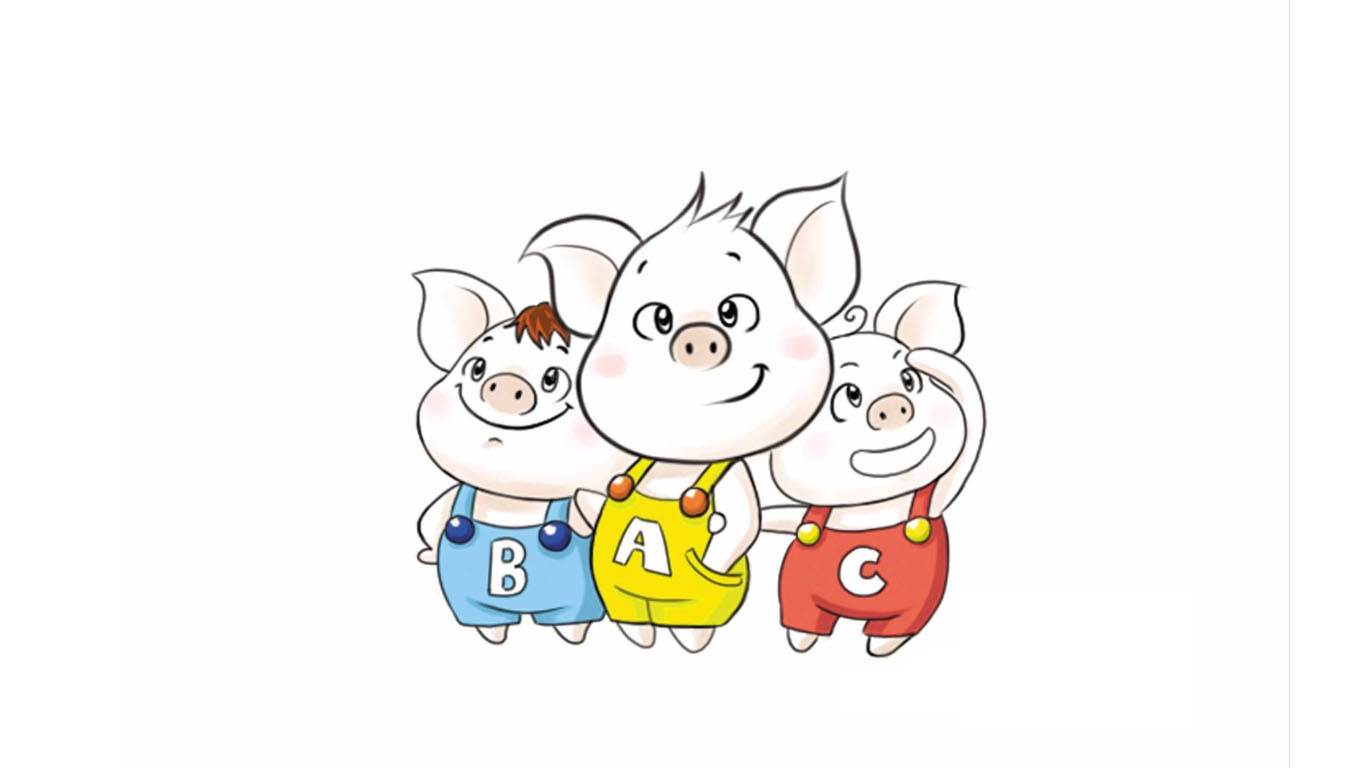
4.1.2 The Ternary Operator
Purpose: Make a simple decision with the ternary operator
Syntax: expression1 ? expression2 : expression3
Explanation:
If expression1 is true, expression2 is evaluated and its result is returned.
If expression1 is false, expression3 is evaluated and its result is returned.
Example:
| |
Summary: Compared with an
ifstatement, the ternary operator is short and tidy. Its drawback is that nesting makes the structure unclear.
4.1.3 The switch Statement
Purpose: Execute a multi-condition branch statement
Syntax:
| |
Example:
| |
Note 1: The expression in a
switchstatement can only be an integer type or a character type
Note 2: If a
casehas nobreak, the program keeps executing downward
Summary: Compared with
ifstatements,switchhas a clearer structure and higher execution efficiency for multi-condition decisions. Its drawback is thatswitchcannot test a range.
4.2 Loop Structure
4.2.1 The while Loop Statement
Purpose: When the loop condition is met, execute the loop statement
Syntax: while(loop condition){ loop statements }
Explanation: ==As long as the loop condition evaluates to true, the loop statements are executed==

Example:
| |
Note: While a loop is running, the program must provide a way to exit it; otherwise, an infinite loop occurs.
while-loop practice exercise: ==Guess the Number==
Case description: The system randomly generates a number between 1 and 100. The player then guesses. If the guess is wrong, tell the player whether the number is too high or too low. If the guess is correct, congratulate the player on winning and exit the game.

4.2.2 The do…while Loop Statement
Purpose: Execute the loop statements when the loop condition is met
Syntax: do{ loop statements } while(loop condition);
Note: The difference from while is that ==do…while executes the loop statements once first==, and only then checks the loop condition

Example:
| |
Summary: Unlike a
whileloop,do...whileexecutes the loop statements once before checking the loop condition.
Practice exercise: Narcissistic Numbers
Case description: A narcissistic number is a 3-digit number for which the sum of the cubes of its digits equals the number itself.
For example: 1^3 + 5^3+ 3^3 = 153
Use a do...while statement to find every narcissistic number among all 3-digit numbers.
4.2.3 The for Loop Statement
Purpose: Execute the loop statements when the loop condition is met
Syntax: for(initialization expression; condition expression; update expression) { loop statement; }
Example:
| |
Details:

Note: The expressions in a
forloop must be separated by semicolons.
Summary:
while,do...while, andforare all loop statements commonly used in development. The structure of aforloop is clearer, so it is used more often.
Practice exercise: Knock on the Table
Case description: Count from 1 to 100. If the ones digit is 7, or the tens digit is 7, or the number is a multiple of 7, print “knock on the table”. Print every other number directly.

4.2.4 Nested Loops
Purpose: Nest another loop inside a loop body to solve certain practical problems
For example, printing the following figure on the screen requires nested loops.

Example:
| |
Practice exercise: Multiplication Table
Case description: Use nested loops to implement the nine-by-nine multiplication table.

4.3 Jump Statements
4.3.1 The break Statement
Purpose: Used to jump out of a ==selection structure== or a ==loop structure==
When to use break:
- In a
switchconditional statement, it ends thecaseand jumps out of theswitch - In a loop statement, it jumps out of the current loop
- In nested loops, it jumps out of the nearest inner loop
Example 1:
| |
Example 2:
| |
Example 3:
| |
4.3.2 The continue Statement
Purpose: In a ==loop statement==, skip the remaining statements that have not yet run in the current iteration, and continue with the next iteration
Example:
| |
Note:
continuedoes not terminate the loop as a whole, whereasbreakjumps out of the loop.
4.3.3 The goto Statement
Purpose: Unconditionally jump to another statement
Syntax: goto label;
Explanation: If a label with that name exists, execution jumps to the label when the goto statement is reached.
Example:
| |
Note: Using
gotoin a program is not recommended, because it can make the control flow confusing.
5 Arrays
5.1 Overview
An array is a collection that stores data elements of the same type.
Feature 1: Every ==data element in an array has the same data type==
Feature 2: An array is made up of ==contiguous memory== locations

5.2 One-Dimensional Arrays
5.2.1 Ways to Define a One-Dimensional Array
There are three ways to define a one-dimensional array:
data type array name[ array length ];data type array name[ array length ] = { value1, value2 ...};data type array name[ ] = { value1, value2 ...};
Example
| |
Summary 1: An array name follows the same naming rules as a variable name, and it must not duplicate a variable name
Summary 2: Subscripts in an array are indexed starting from 0
5.2.2 The Name of a One-Dimensional Array
Uses of a one-dimensional array name:
- It can be used to measure the size of the entire array in memory
- It can be used to obtain the array’s starting address in memory
Example:
| |
Note: An array name is a constant and cannot be assigned to
Summary 1: Printing the array name directly shows the starting address of the memory occupied by the array
Summary 2: Applying sizeof to the array name gives the amount of memory occupied by the entire array
Exercise 1: Weighing Five Piglets
Description:
The weights of five piglets are recorded in an array, for example: int arr[5] = {300,350,200,400,250};
Find and print the weight of the heaviest piglet.
Exercise 2: Reverse the Array Elements
Description: Declare an array of 5 elements and reverse those elements.
(For example, if the original array elements are 1,3,2,5,4, the reversed output is 4,5,2,3,1);
5.2.3 Bubble Sort
Purpose: The most commonly used sorting algorithm, used to sort the elements in an array
- Compare adjacent elements. If the first is greater than the second, swap them.
- Do the same for every pair of adjacent elements. When the pass finishes, the first maximum has been found.
- Repeat the steps above, reducing the number of comparisons by 1 each time, until no comparison is needed

Example: Sort the array { 4,2,8,0,5,7,1,3,9 } in ascending order
| |
5.3 Two-Dimensional Arrays
A two-dimensional array is a one-dimensional array with one extra dimension.

5.3.1 Ways to Define a Two-Dimensional Array
There are four ways to define a two-dimensional array:
data type array name[ row count ][ column count ];data type array name[ row count ][ column count ] = { {data1, data2 } , {data3, data4 } };data type array name[ row count ][ column count ] = { data1, data2, data3, data4};data type array name[ ][ column count ] = { data1, data2, data3, data4};
Recommendation: Of the four definition styles above, ==the second is more intuitive and makes the code easier to read==
Example:
| |
Summary: When defining a two-dimensional array, the row count can be omitted if the data is initialized
5.3.2 The Name of a Two-Dimensional Array
- View the memory occupied by a two-dimensional array
- Get the starting address of a two-dimensional array
Example:
| |
Summary 1: The name of a two-dimensional array is the starting address of that array
Summary 2: Applying sizeof to the name of a two-dimensional array gives the amount of memory occupied by the entire two-dimensional array
5.3.3 Two-Dimensional Array Example
Exam score statistics:
Example description: Three students (Zhang San, Li Si, and Wang Wu) received the scores shown in the table below on an exam. Print the total score of each of the three students.
| Chinese | Math | English | |
|---|---|---|---|
| Zhang San | 100 | 100 | 100 |
| Li Si | 90 | 50 | 100 |
| Wang Wu | 60 | 70 | 80 |
Reference solution:
| |
6 Functions
6.1 Overview
Purpose: wrap a piece of frequently used code so that repeated code is reduced
A larger program is usually divided into several program blocks, and each module implements a specific task.
6.2 Defining a Function
Defining a function generally involves five main steps:
Return type
Function name
Parameter list
Statements in the function body
return expression
Syntax:
| |
- Return type: a function can return a value. It is specified in the function definition.
- Function name: the name given to the function
- Parameter list: the data passed in when the function is used
- Function-body statements: the code inside the braces, that is, the statements to be executed inside the function
- return expression: tied to the return type; after the function finishes executing, it returns the corresponding data
Example: define an addition function that adds two numbers
| |
6.3 Calling a Function
Purpose: use a function that has already been defined
Syntax: function_name(arguments)
Example:
| |
Summary: the names inside the parentheses in a function definition are called formal parameters, and the values passed in when the function is called are called actual arguments
6.4 Pass by Value
- Pass by value means that, when a function is called, the actual argument passes its numeric value to the formal parameter
- With pass by value, ==if the formal parameter changes, the actual argument is not affected==
Example:
| |
Summary: with pass by value, a formal parameter cannot modify the actual argument
6.5 Common Function Forms
There are four common function forms
- No parameters and no return value
- Parameters and no return value
- No parameters and a return value
- Parameters and a return value
Example:
| |
6.6 Function Declarations
Purpose: tell the compiler the function name and how to call the function. The actual body of the function can be defined separately.
- A function may be declared more than once, but it may be defined only once
Example:
| |
6.7 Writing Functions in Separate Files
Purpose: make the structure of the code clearer
Writing a function across separate files generally takes four steps
- Create a header file with the
.hextension - Create a source file with the
.cppextension - Write the function declaration in the header file
- Write the function definition in the source file
Example:
| |
| |
| |
7 Pointers
7.1 Basic Concepts of Pointers
What a pointer does: A pointer lets you access memory indirectly.
- Memory is numbered starting from 0, and those numbers are usually written in hexadecimal.
- A pointer variable can store an address.
7.2 Defining and Using Pointer Variables
Syntax for defining a pointer variable: data_type * variable_name;
Example:
| |
How pointer variables differ from ordinary variables
- An ordinary variable stores data; a pointer variable stores an address.
- The
*operator lets a pointer variable operate on the memory it points to. This process is called dereferencing.
Summary 1: The
&operator gives you a variable’s address.
Summary 2: A pointer can record an address.
Summary 3: Dereferencing a pointer variable lets you operate on the memory it points to.
7.3 Memory Occupied by a Pointer
Question: A pointer is itself a data type. How much memory does that data type occupy?
Example:
| |
Summary: Every pointer type occupies 4 bytes on a 32-bit operating system.
7.4 Null Pointers and Wild Pointers
Null pointer: A pointer variable that points to the memory location numbered 0.
Use: Initialize a pointer variable.
Note: The memory a null pointer points to must not be accessed.
Example 1: Null pointer
| |
Wild pointer: A pointer variable that points to illegal memory.
Example 2: Wild pointer
| |
Summary: Neither a null pointer nor a wild pointer refers to memory you allocated, so do not access either of them.
7.5 const and Pointers
const can qualify a pointer in three ways:
constqualifies the pointer — pointer to constconstqualifies the constant — const pointerconstqualifies both the pointer and the constant
Example:
| |
Tip: Look at what immediately follows
conston the right. If it is a pointer, the declaration is a pointer to const; if it is a constant, the declaration is a const pointer.
7.6 Pointers and Arrays
Purpose: Use a pointer to access the elements of an array.
Example:
| |
7.7 Pointers and Functions
Purpose: Use a pointer as a function parameter so the function can modify the actual arguments.
Example:
| |
Summary: Use pass-by-value when the actual arguments should stay unchanged. Use pass-by-address when they should be modified.
7.8 Pointers, Arrays, and Functions
Case description: Wrap bubble sort in a function that sorts an integer array into ascending order.
For example, the array: int arr[10] = { 4,3,6,9,1,2,10,8,7,5 };
Example:
| |
Summary: When an array name is passed to a function as a parameter, it decays into a pointer to the first element.
8 Structs
8.1 Basic Concepts of Structs
A struct is a user-==defined data type== that lets you store values of different data types.
8.2 Defining and Using Structs
Syntax: struct structName { member list };
There are three ways to create a variable from a struct:
- struct structName variableName
- struct structName variableName = { member1Value, member2Value…}
- Create the variable while defining the struct
Example:
| |
Summary 1: When you define a struct, the keyword is
struct, and it cannot be omitted.
Summary 2: When you create a struct variable, the keyword
structcan be omitted.
Summary 3: A struct variable uses the
.operator to access its members.
8.3 Arrays of Structs
Purpose: Put user-defined structs into an array so they are easier to maintain.
Syntax: struct structName arrayName[elementCount] = { {}, {}, ... {} }
Example:
| |
8.4 Pointers to Structs
Purpose: Access the members of a struct through a pointer.
- The
->operator lets you access a struct’s members through a pointer to that struct.
Example:
| |
Summary: A pointer to a struct can access the struct’s members through the
->operator.
8.5 Nested Structs
Purpose: A member of a struct can be another struct.
For example: Each teacher tutors one student, so a teacher’s struct records a student’s struct.
Example:
| |
Summary: You can define another struct as a member of a struct to solve practical problems.
8.6 Structs as Function Parameters
Purpose: Pass a struct into a function as a parameter.
There are two ways to pass it:
- Pass by value
- Pass by address
Example:
| |
Summary: If you do not want to modify the data in
main, pass by value; otherwise, pass by address.
8.7 Using const with Structs
Purpose: Use const to prevent accidental modification.
Example:
| |
8.8 Struct Examples
8.8.1 Example 1
Example description:
A school is running graduation projects. Each teacher leads 5 students, and there are 3 teachers in total. The requirements are as follows:
Design structs for students and teachers. The teacher struct includes the teacher’s name and, as a member, an array that stores 5 students.
A student’s members are name and exam score. Create an array that holds 3 teachers, and use a function to assign values to each teacher and the students they lead.
Finally, print each teacher’s data and the data of the students they lead.
Example:
| |
8.8.2 Example 2
Example description:
Design a hero struct whose members are name, age, and gender. Create a struct array that stores 5 heroes.
Using the bubble sort algorithm, sort the heroes in the array by age in ascending order, and finally print the sorted result.
The five heroes are as follows:
| |
Example:
| |